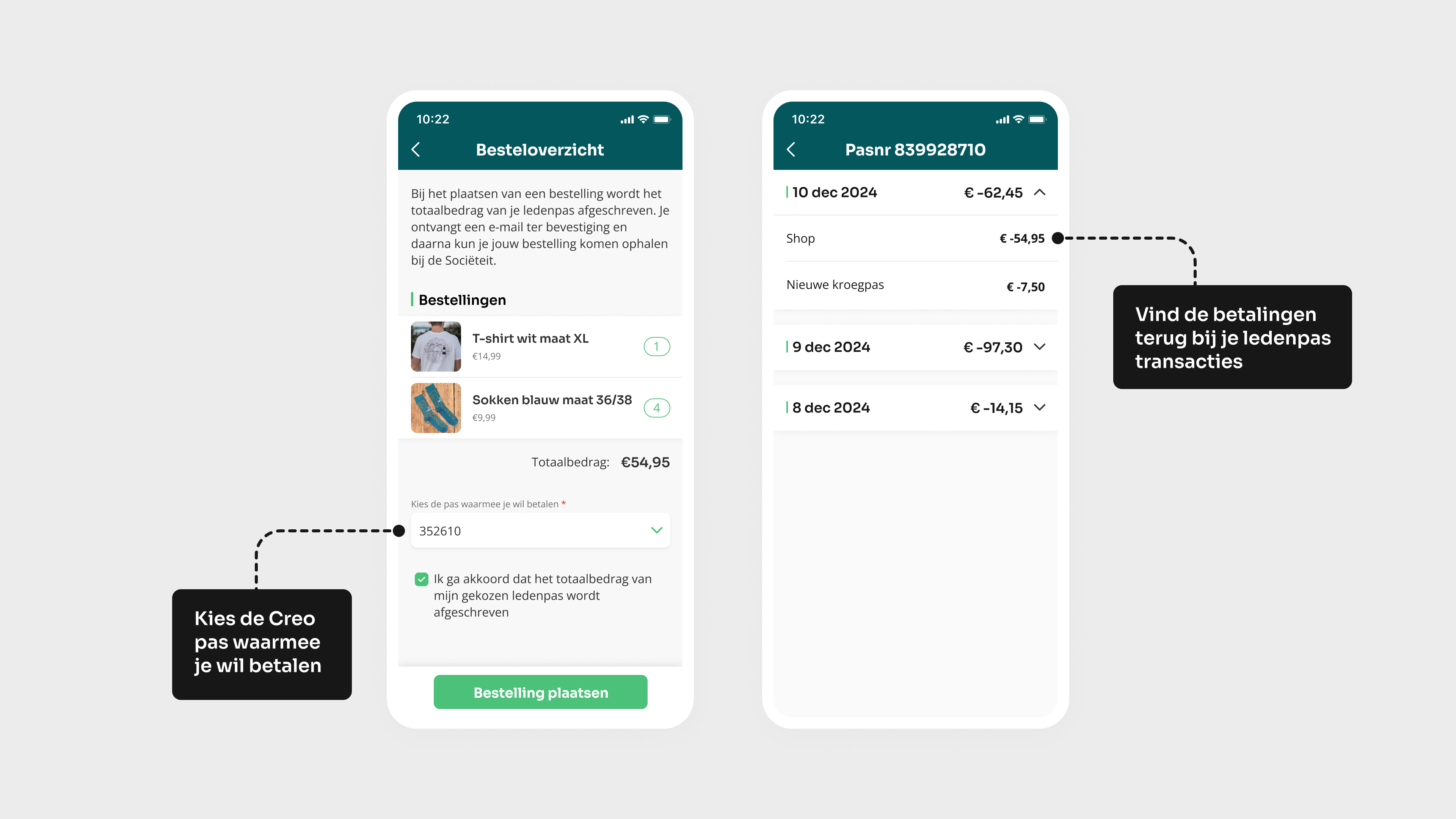
The shop can be filled with all kinds of products, flexibly bundled into categories via the CMS. A 'shop' block is added to the dynamic home screen, where the products are displayed. Optionally, you can set how much of the product is available and/or the maximum number of products a member can order, so you never sell too much. Via a customisable automatic e-mail, you can notify orderers of their order and of payment and collection procedures.
5 januari 2025 Feature
Shop
Showcasing the club’s merchandise has never been easier. With the shop feature, you can offer your products to members. Members can pay straight away via the built-in Mollie integration, and if there is also a Creo integration, members can pay directly in the app using their Creo balance.


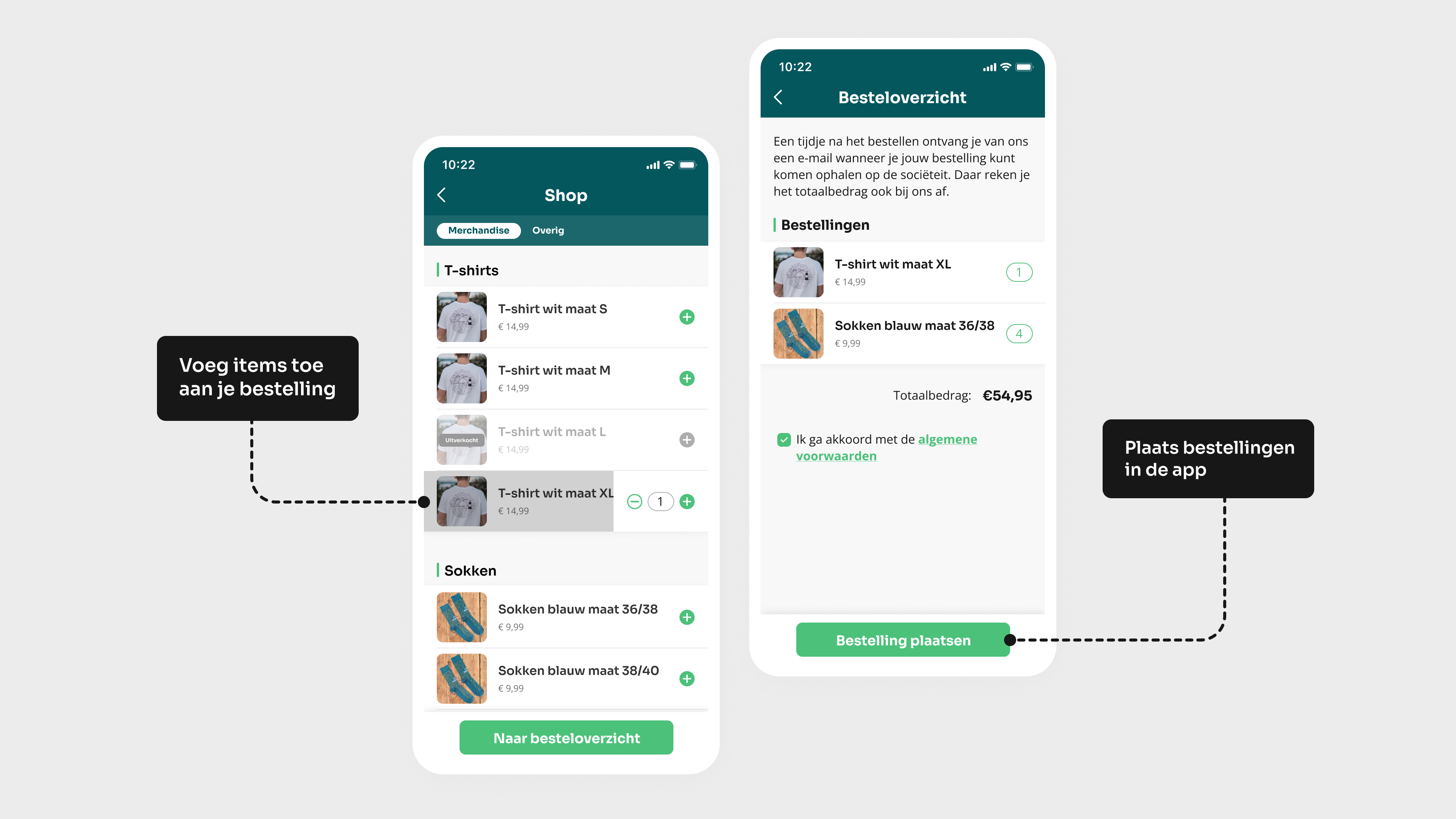
Shop
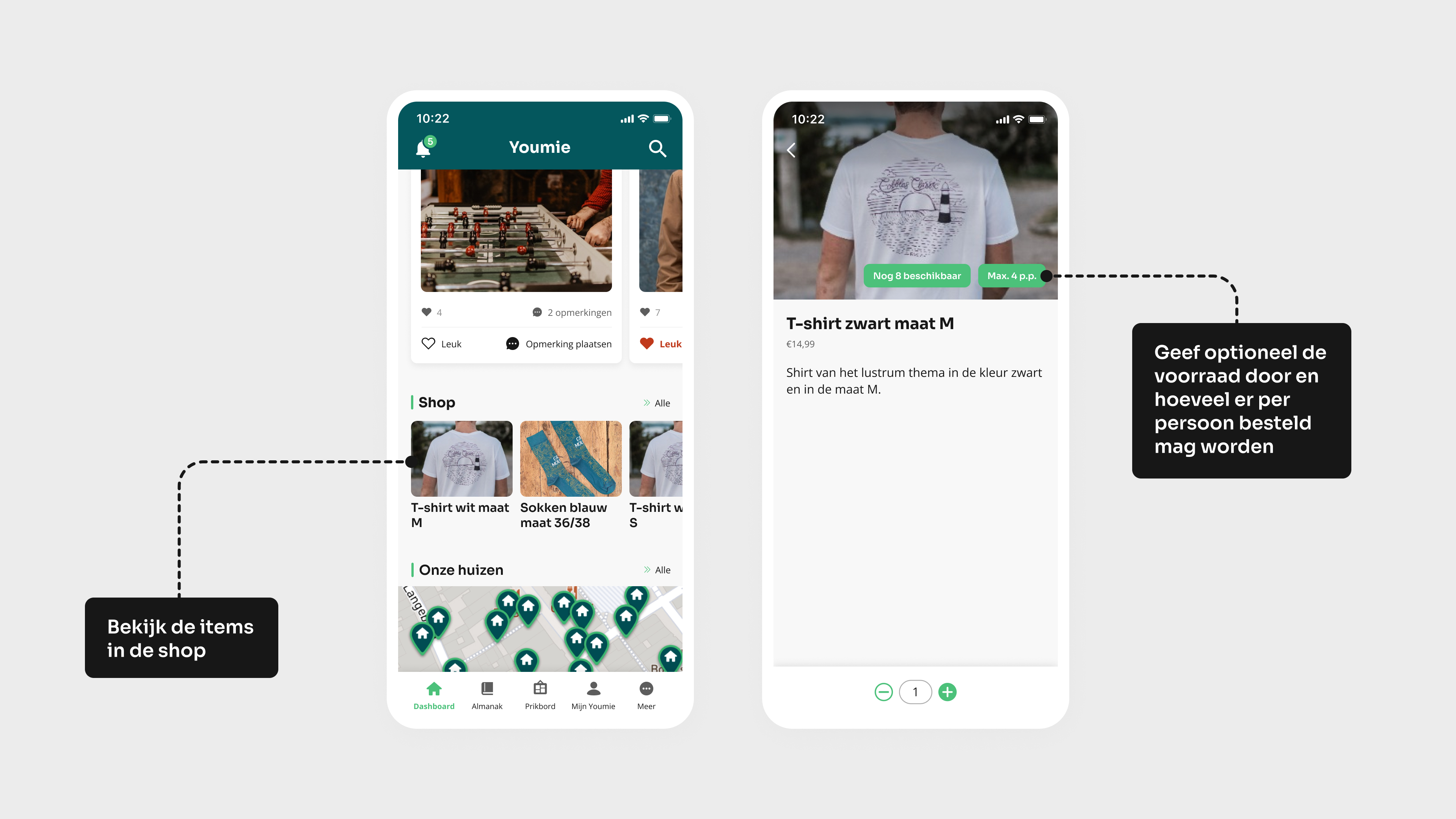
Direct betalen met iDeal/Wero
Met de Mollie-uitbreiding kunnen leden hun bestelling direct online afrekenen in de shop. Het betaalde bedrag komt rechtstreeks op de rekening van de vereniging terecht, waardoor betalingen overzichtelijk en automatisch worden verwerkt. Per bestelling zijn kleine transactiekosten van toepassing voor het gebruik van de betaalkoppeling.
Check meer info over betalen met iDeal/Wero hier
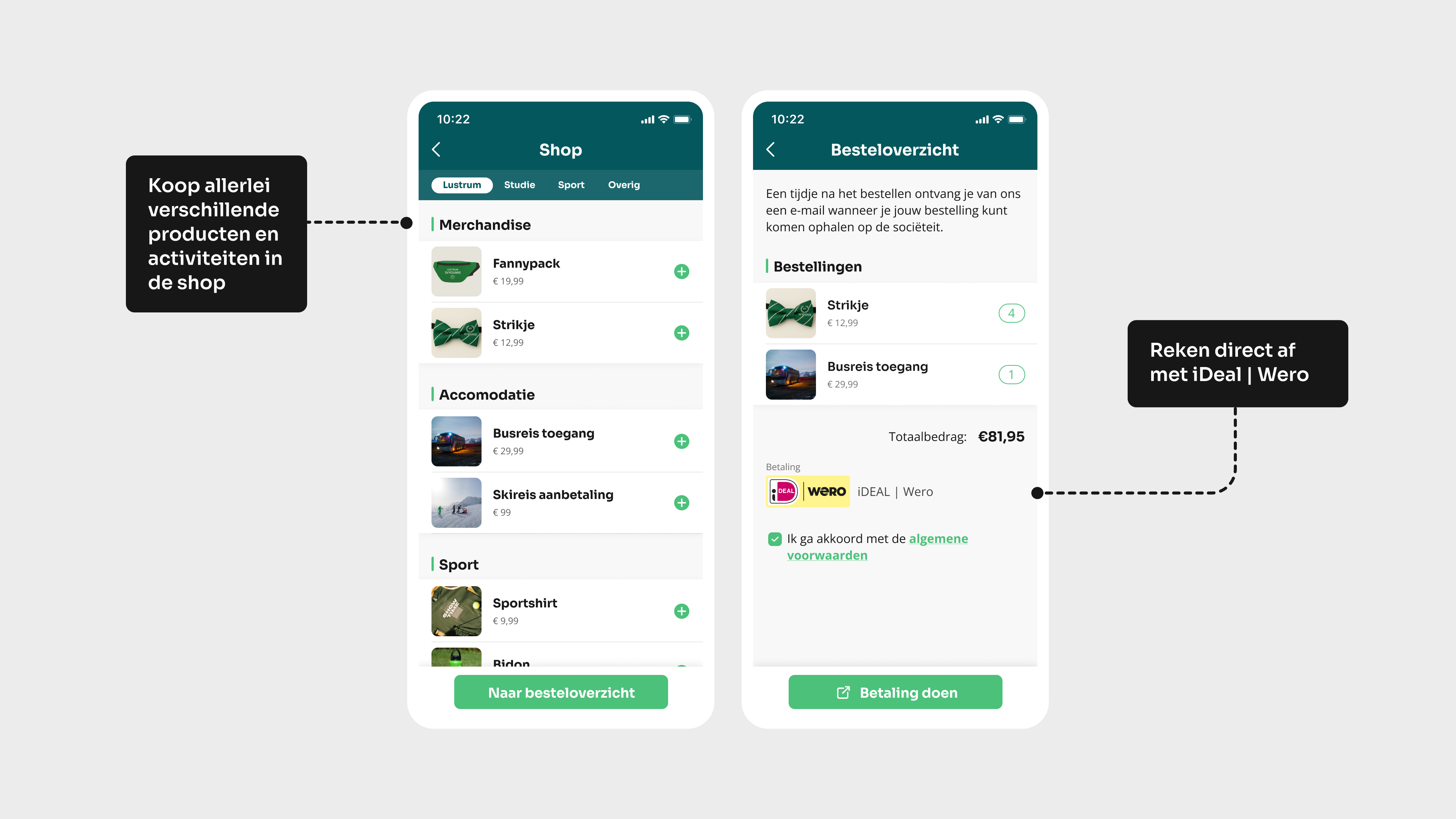
Pay with Creo
The shop functionality does not include a payment method such as iDeal. However, it is possible to pay using your Creo balance, provided there is a link to Creo. Members can pay for their orders in the app using their chosen Creo card and view this transaction immediately in their transaction history. That saves a lot of admin. And with the ‘Top up Creo card’ feature, your card is topped up in no time!