

9 januari 2025 Feature

'My profile' page

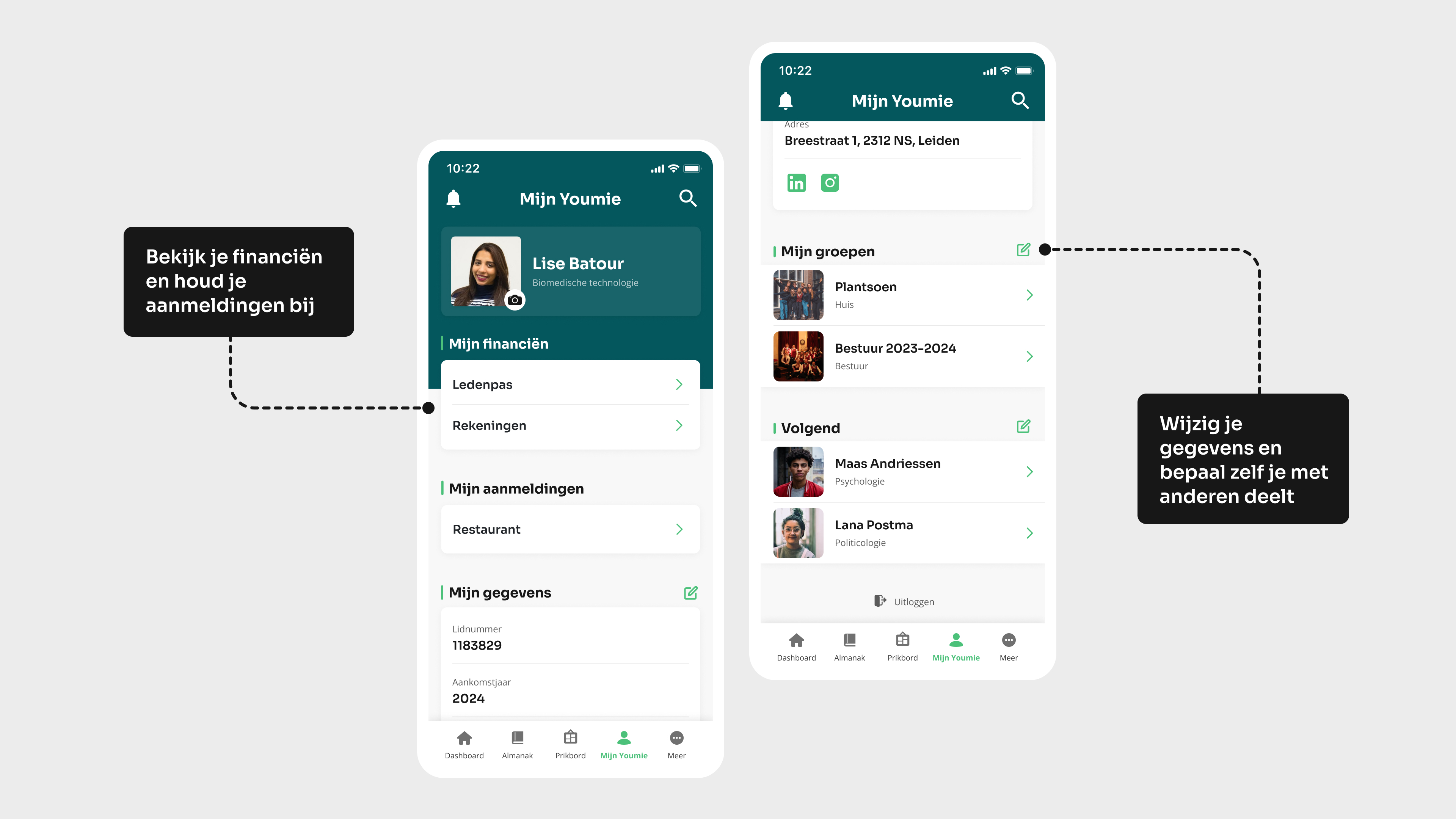
In the 'My profile' section of the app, you control everything around your membership. From your personal details to your finances - here you have everything in one place. No more looking up individual transactions or forgetting what your membership number was again. Just open the app and check!

Een illustratie van twee uitlijningen van cirkelsEen illustratie van een groene cirkel

Your data, groups & watch list

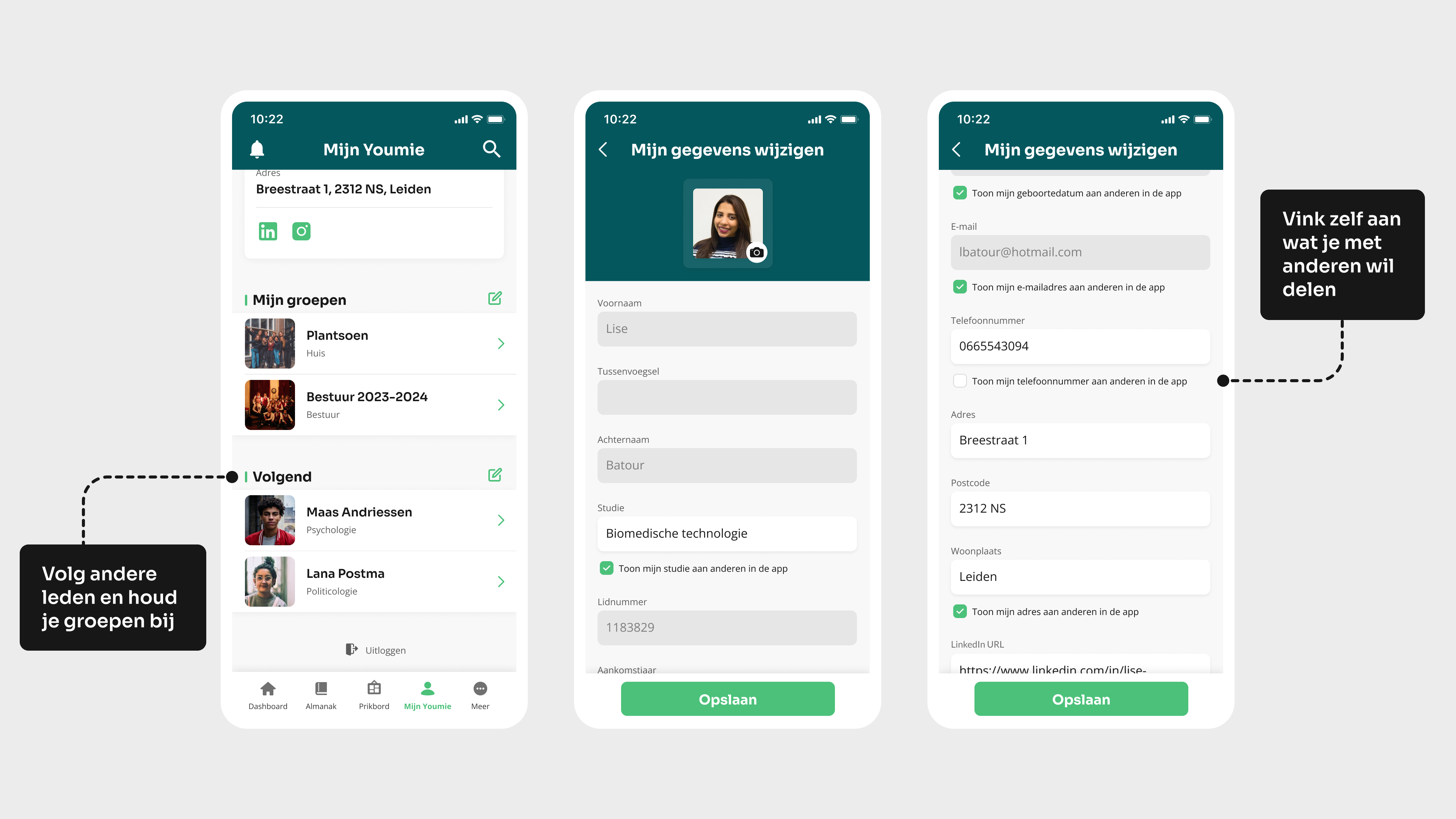
On your profile page, you decide which personal data to share, such as your year of arrival, date of birth and social media. With a few taps you can change your details or specify who can see them. Don't want everyone to know your birthday? Fine, that's entirely up to you!

Your almanac groups - think of your fraternity, committee or year group - are also clearly displayed here. You can indicate which groups you are in and you can filter by year to see who was in a group and when. And if you want to know what your friends are doing, in the follow list you can easily see who is following you and who is following you. This way, you always stay connected with other members!
My finances & applications

Wondering how much is left on your membership card? In 'My finances' you can check your Creo balance at a glance and see all your transactions, from shop purchases to paid drinks. Low balance? Don't worry, you can top it up yourself via a link to Creo. Below it, you'll also find your registrations. Whether you have reserved a place in the restaurant or planned an activity, everything is neatly organised. Handy if you want to quickly check exactly what you signed up for! Read more about our restaurant reservation module.

Also an app for your association?

Would you also like to have a beautiful app built for your association? Contact us and we will be happy to create a design example with no obligation!