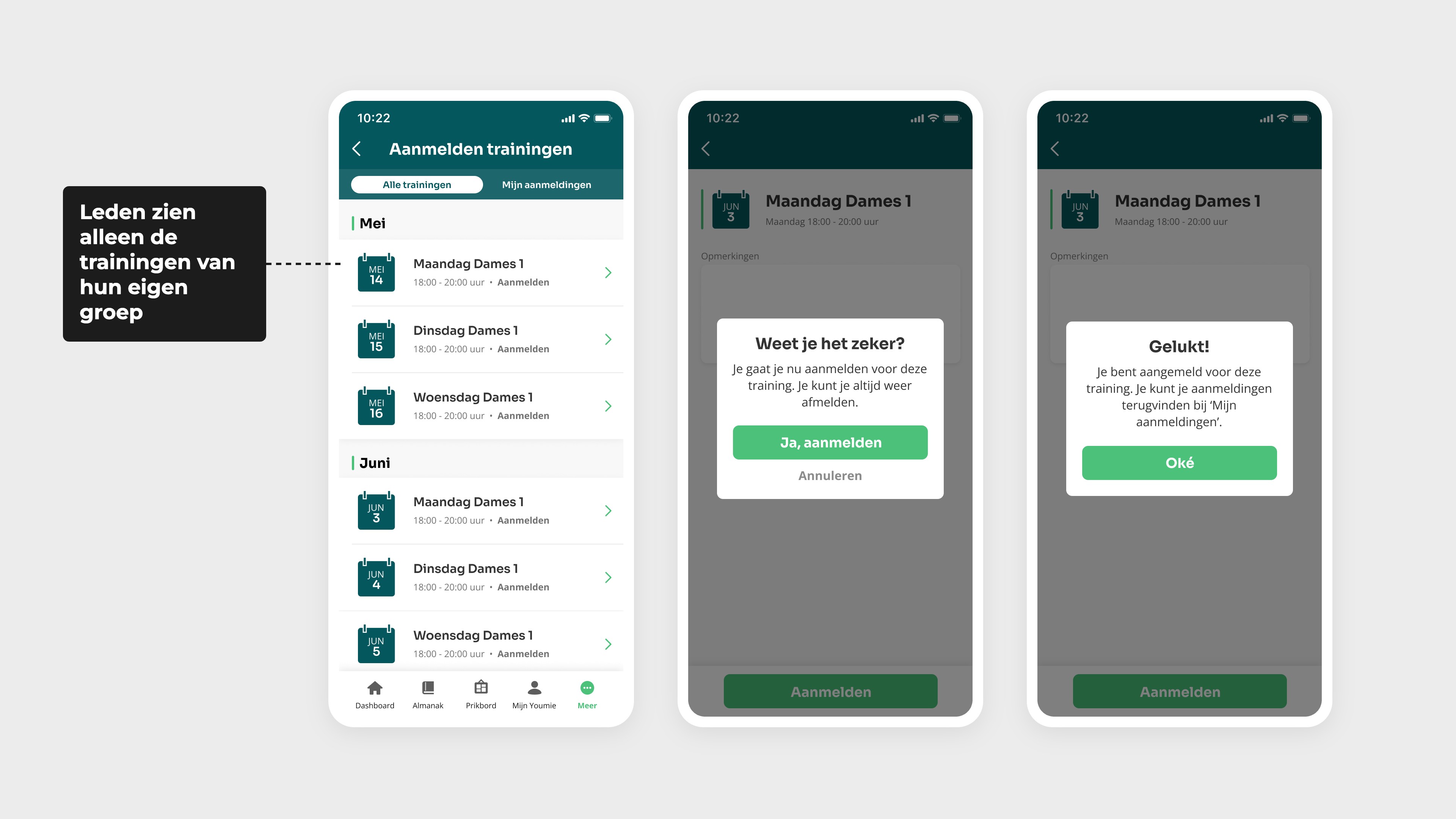
For each training session, you can specify who is eligible to sign up. For example, you can make it compulsory for members to be part of a specific training group, such as Ladies 1. A member will then only see the training sessions for the group they belong to. This ensures everyone has a clear overview, without having to search through the training sessions of other teams.
5 oktober 2026 Feature
Training module
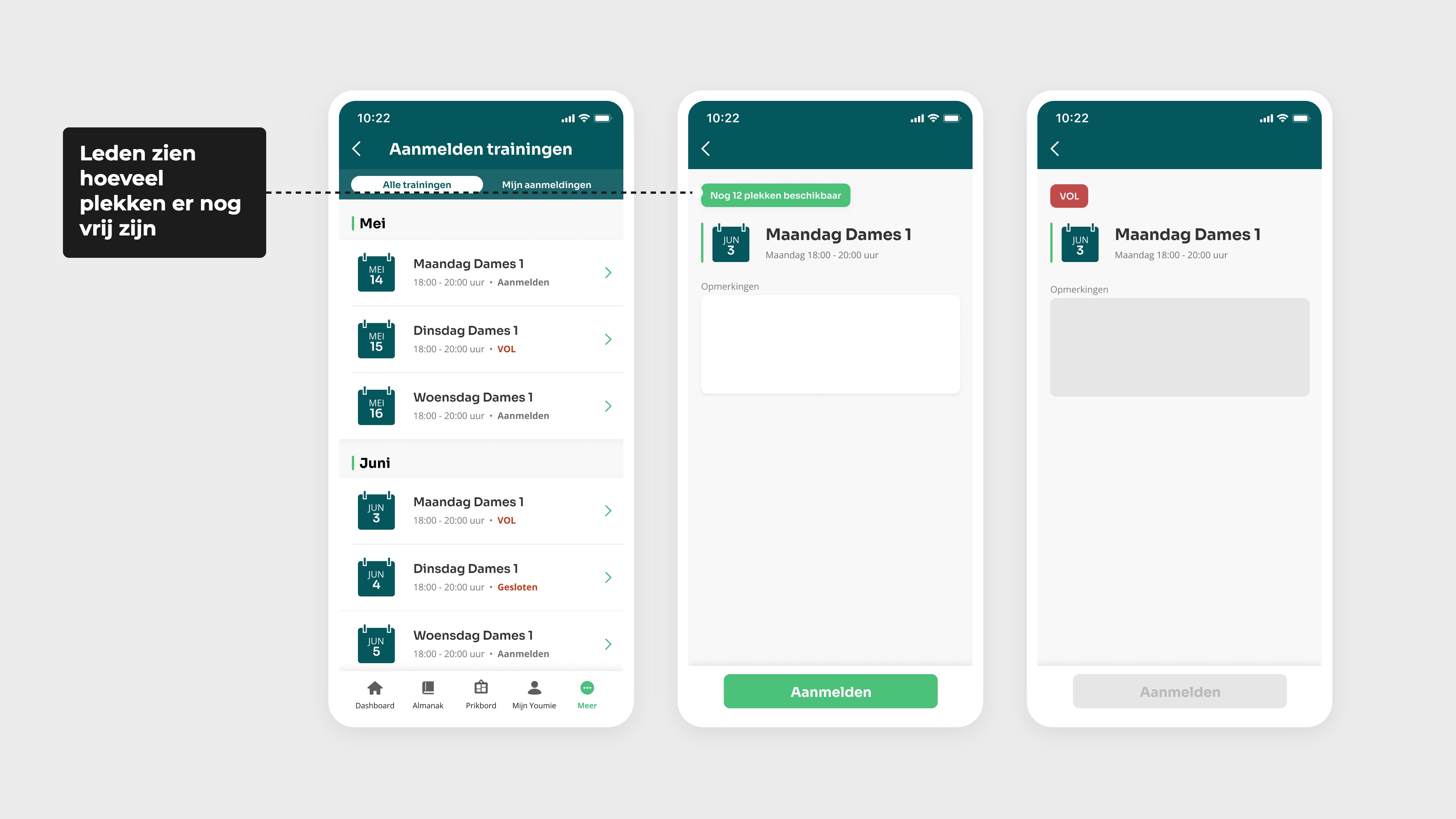
With the training module in the Youmie app, you can manage your club’s training sessions all in one place. Members sign up for their own group’s training sessions and can see at a glance when their next session is. As an administrator, you decide who can sign up, how many places are available and whether members are allowed to cancel their booking. This ensures the training schedule is immediately clear to everyone.


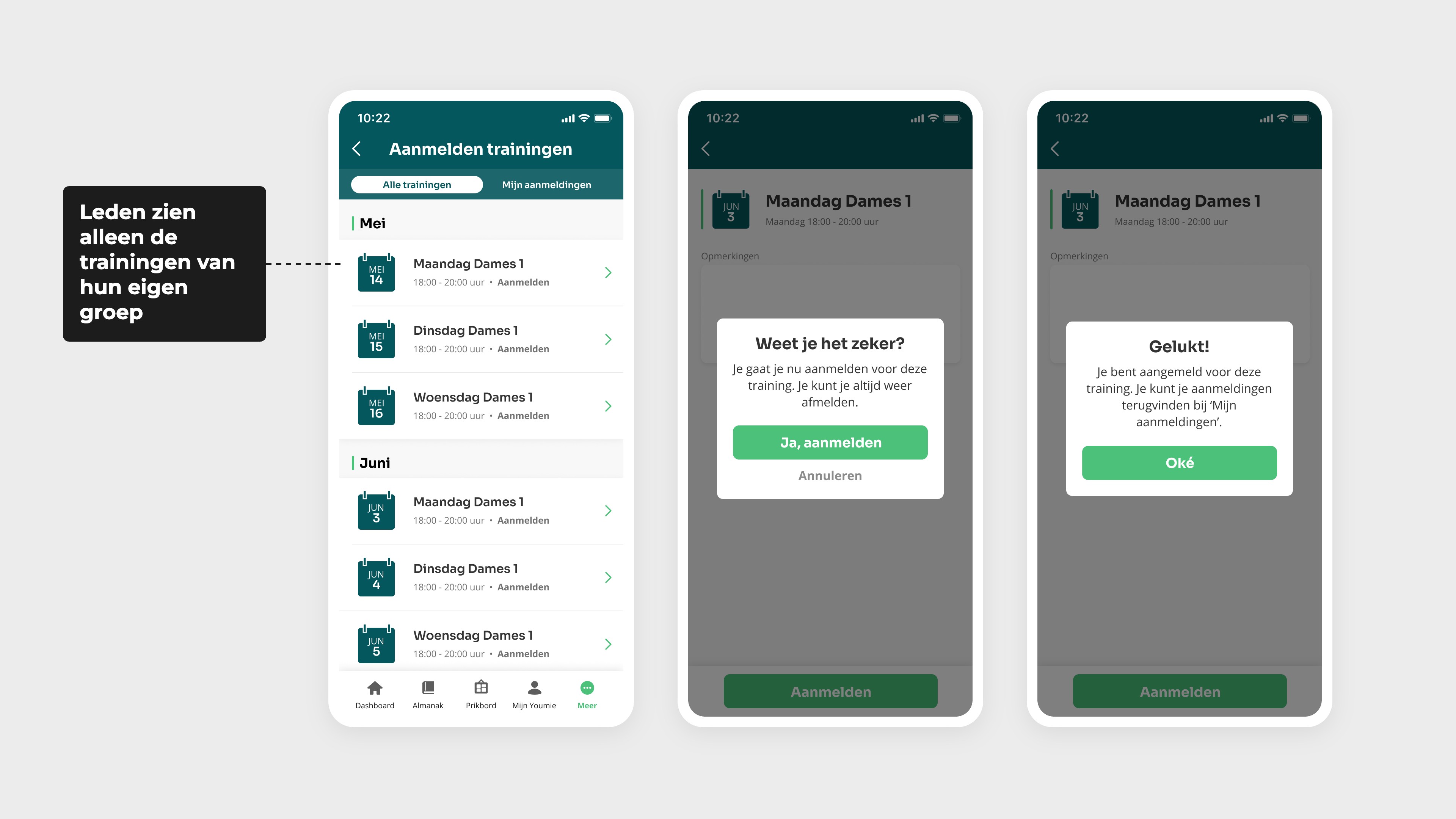
Sign up for a training course
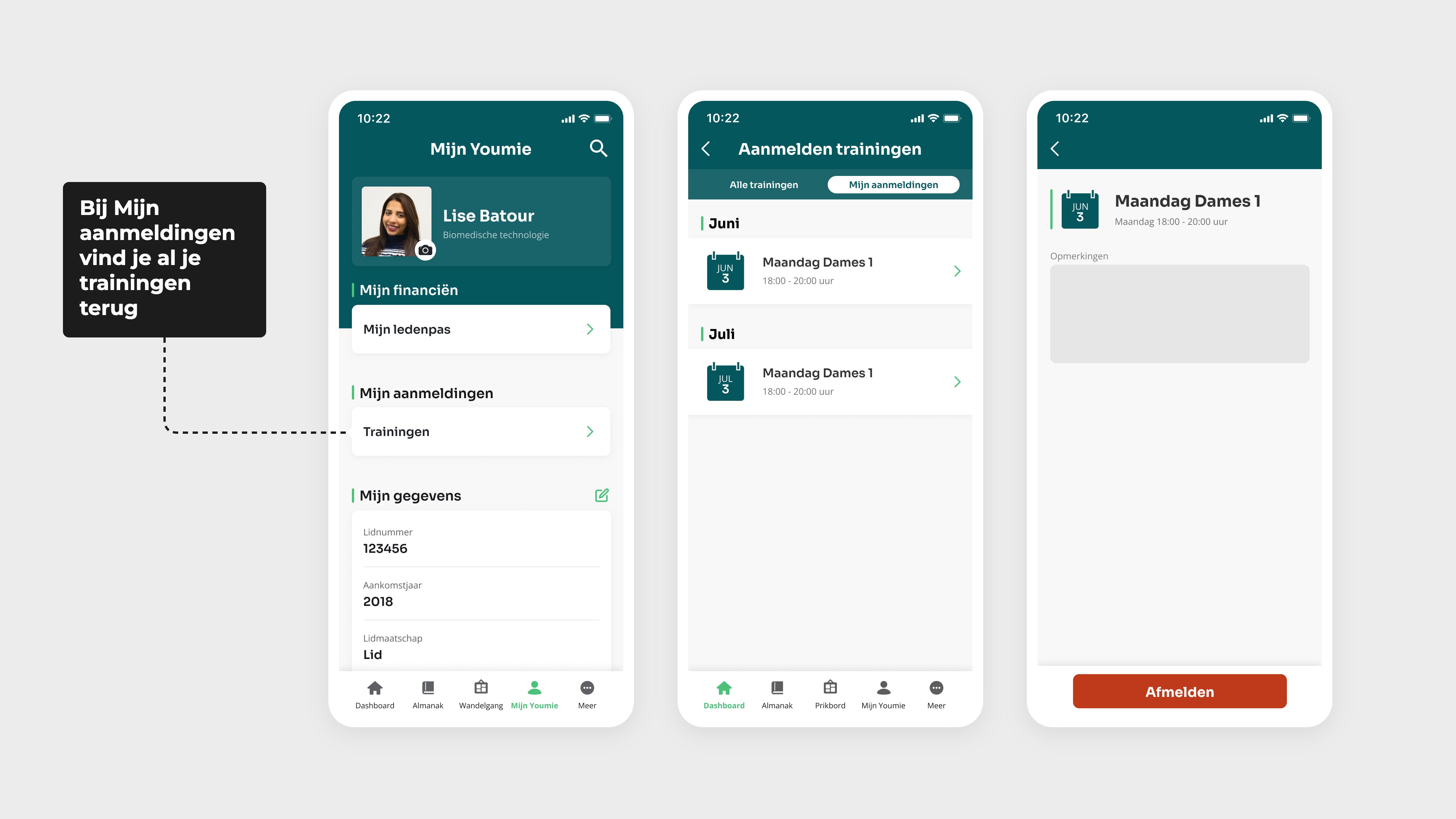
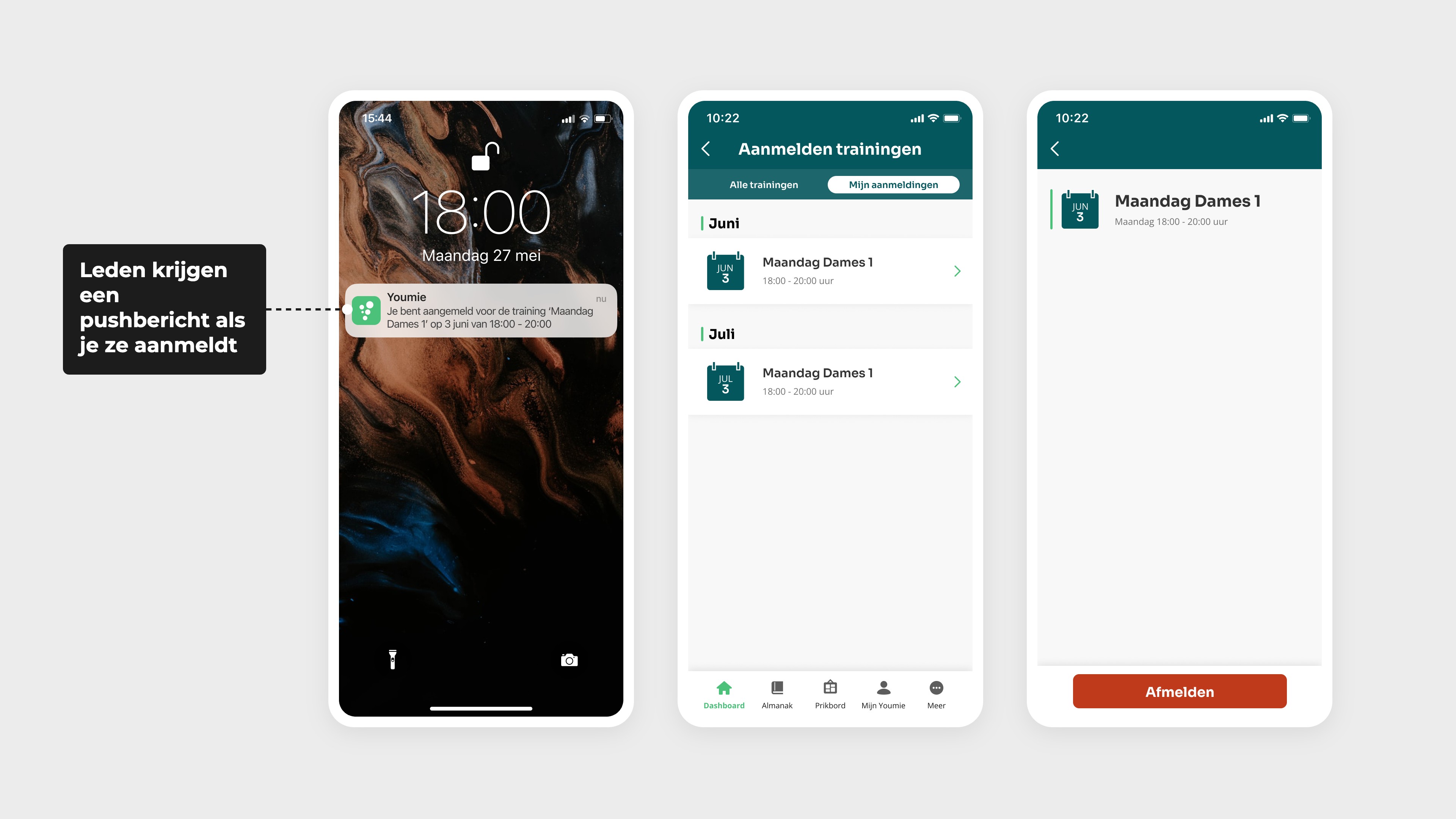
Review my training sessions
Under ‘My training sessions’, you’ll find a list of only the training sessions you’re signed up for. This way, you can see at a glance when your next training session is.
Setting up training sessions with maximum or unlimited capacity
As an administrator, you set the maximum number of people who can attend a training session. If it is a different type of event, set the capacity to ‘unlimited’.
You can also open up a training session to additional groups at a set time, for example 48 hours in advance. In the example above, this means that not only members of Ladies 1 can register, but also those from Ladies 2 and Ladies 3. In this way, any remaining places up to the maximum capacity will be filled by members from other teams.
Automatically register your members
Would you like everyone to be automatically registered by default, rather than members having to sign up separately for each training session? If so, you can register your members for all training sessions in one go. If someone can’t make it on a particular occasion, they can simply cancel their registration. That way, you’ll have a clear training schedule for everyone in one go!
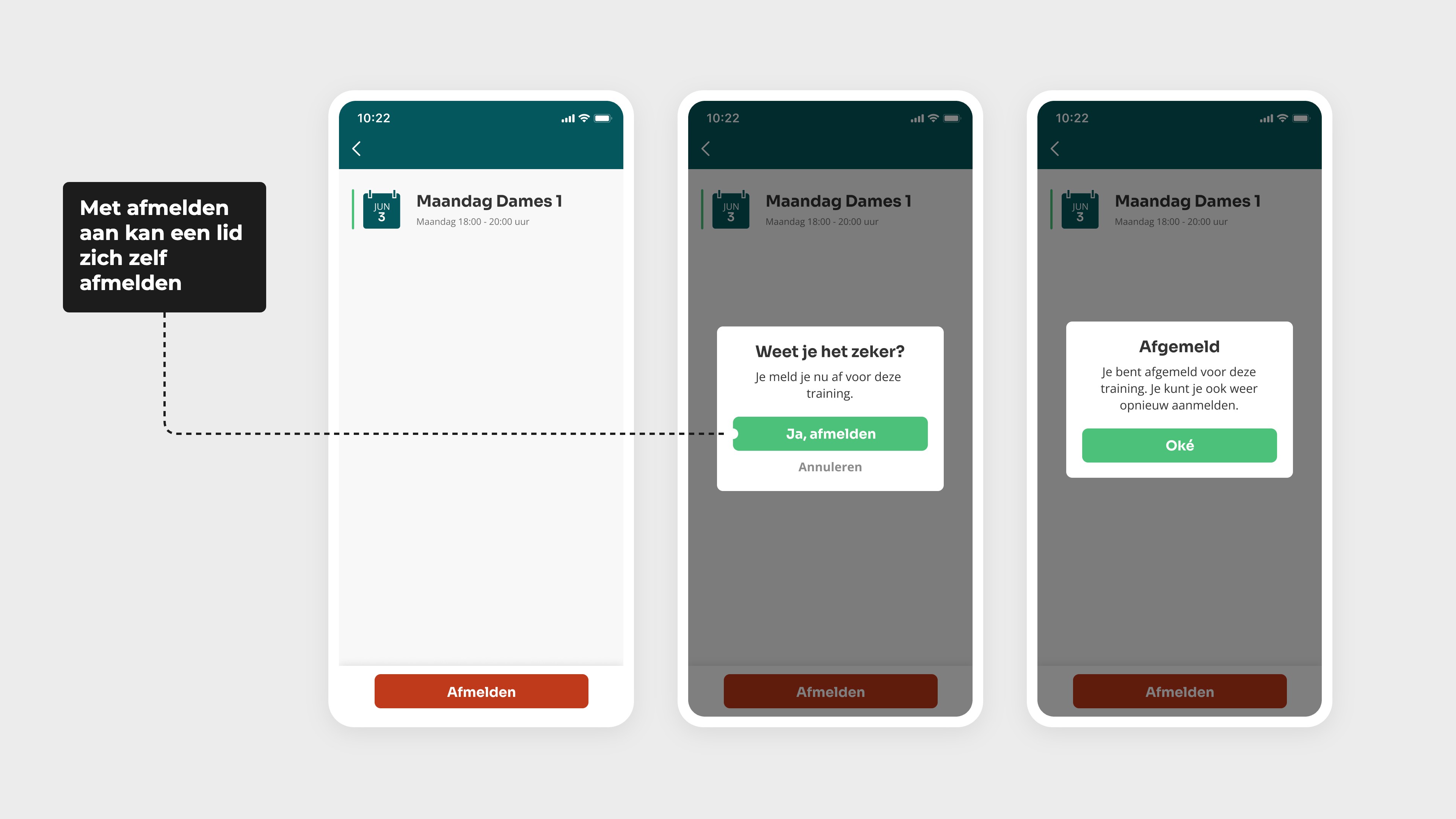
Set whether or not to log out
You can also set it so that members cannot opt out of a training session. In that case, it is a compulsory training session.