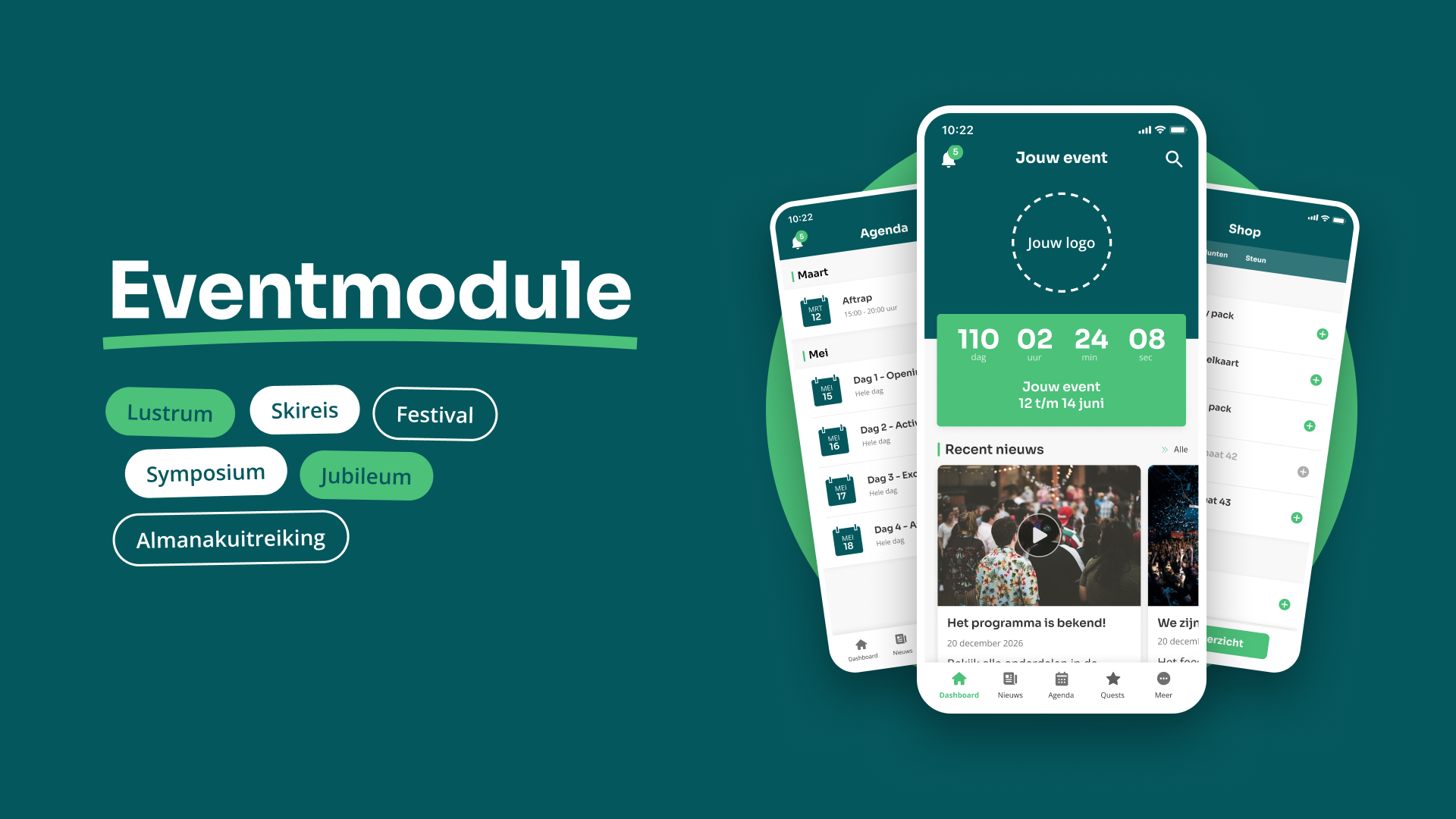
The events module works as an app within an app, accessible from the members’ or alumni app. Members can switch to the events section via a banner that you set up yourself. This section has its own unique theme, with its own colours, logo and menu. This way, the event feels like something special right from the very first click.
6 juni 2025 Feature
Event module
With the events module, you can give your club’s major event its own dedicated section within the app. Members can click on a banner to access a separate section, fully themed around the event. There, they’ll find a dedicated dashboard, news, a calendar, photo albums and more. You can use the module for an anniversary, a multi-day event such as a skiing trip, a one-day party or the announcement of something the whole club is looking forward to.
Your own app within the app
Dashboard, countdown timer and news
The dashboard looks similar to that of the members’ app, but with the event’s branding. A large countdown clock shows how long is left, with a festive surprise when the counter reaches zero. In the news section, you can share updates, hints and videos – for example, about an artist who has been confirmed or a change to the programme.
Calendar, map and photo albums
The programme lists all the parts of the event, from the run-up to the day itself. For each part, you can specify whether it is intended for members, alumni or both. The map shows visitors exactly where they need to be. Afterwards, you can add the photos to the photo albums so that everyone can look back on the event.
Shop and more menu
In the shop, you can sell merchandise and other extras, and members can pay directly via iDEAL. This means the event also generates some revenue. The ‘More’ menu provides space for everything else that’s important: sponsors, protocols, internal documents and forms. It also features the button to return to the members’ app.
For every kind of event
The events module is suitable for any event your club looks forward to. Below, you can read about how this works for three types of events, each with an example and its own blog post.
A special event, such as an anniversary
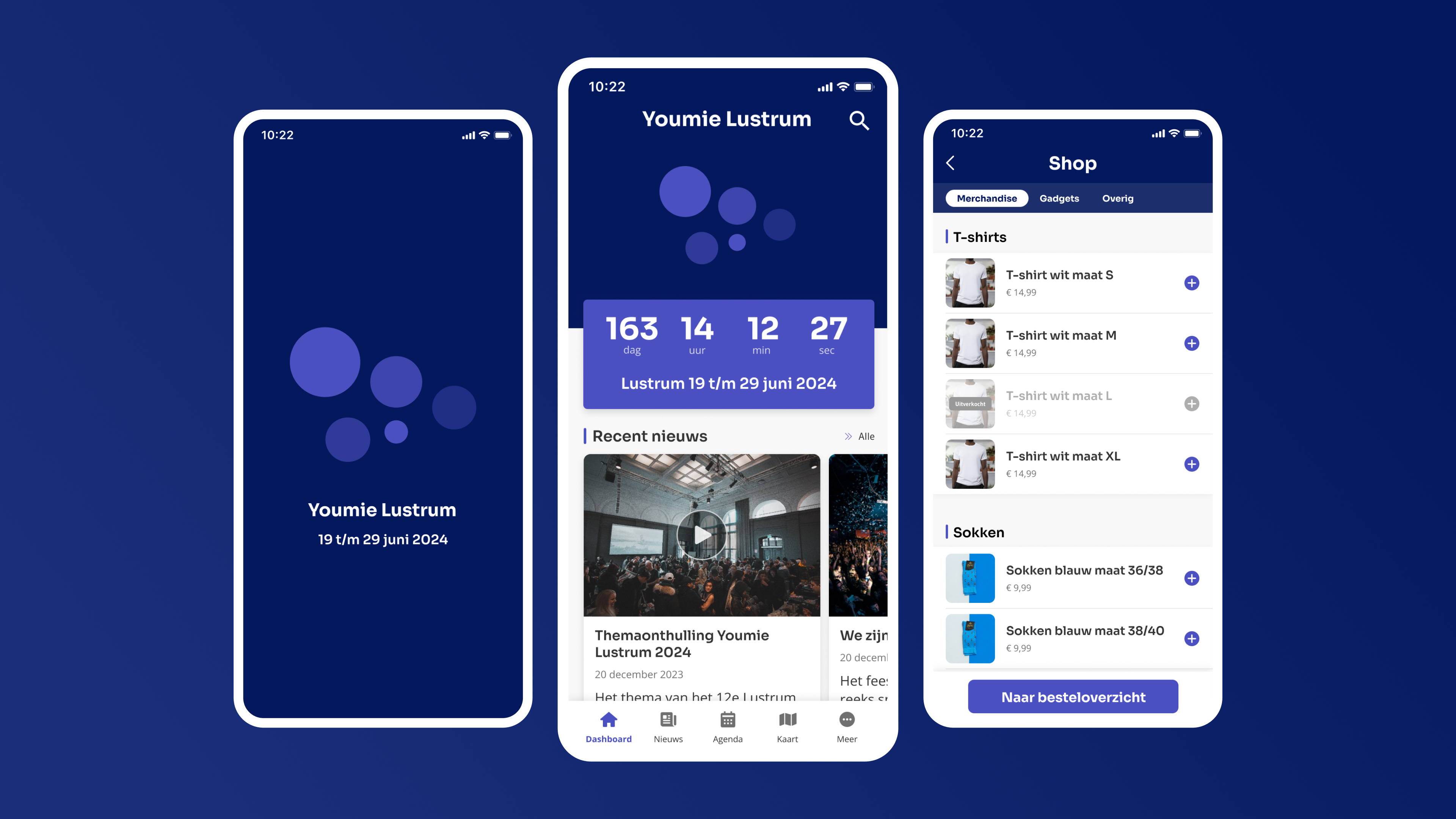
The lustrum is the best-known application of the event module: an entire lustrum year featuring a programme, news, a countdown clock and a shop, all in keeping with the lustrum theme. The image below shows an example of an anniversary app, featuring its own splash screen, a dashboard counting down to the anniversary and a shop selling merchandise. You can read about how this works in practice in the blog post about the anniversary module.
You can use the module in the same way for other special events, such as a masked ball, a festival or an anniversary.
Multi-day festivals and events
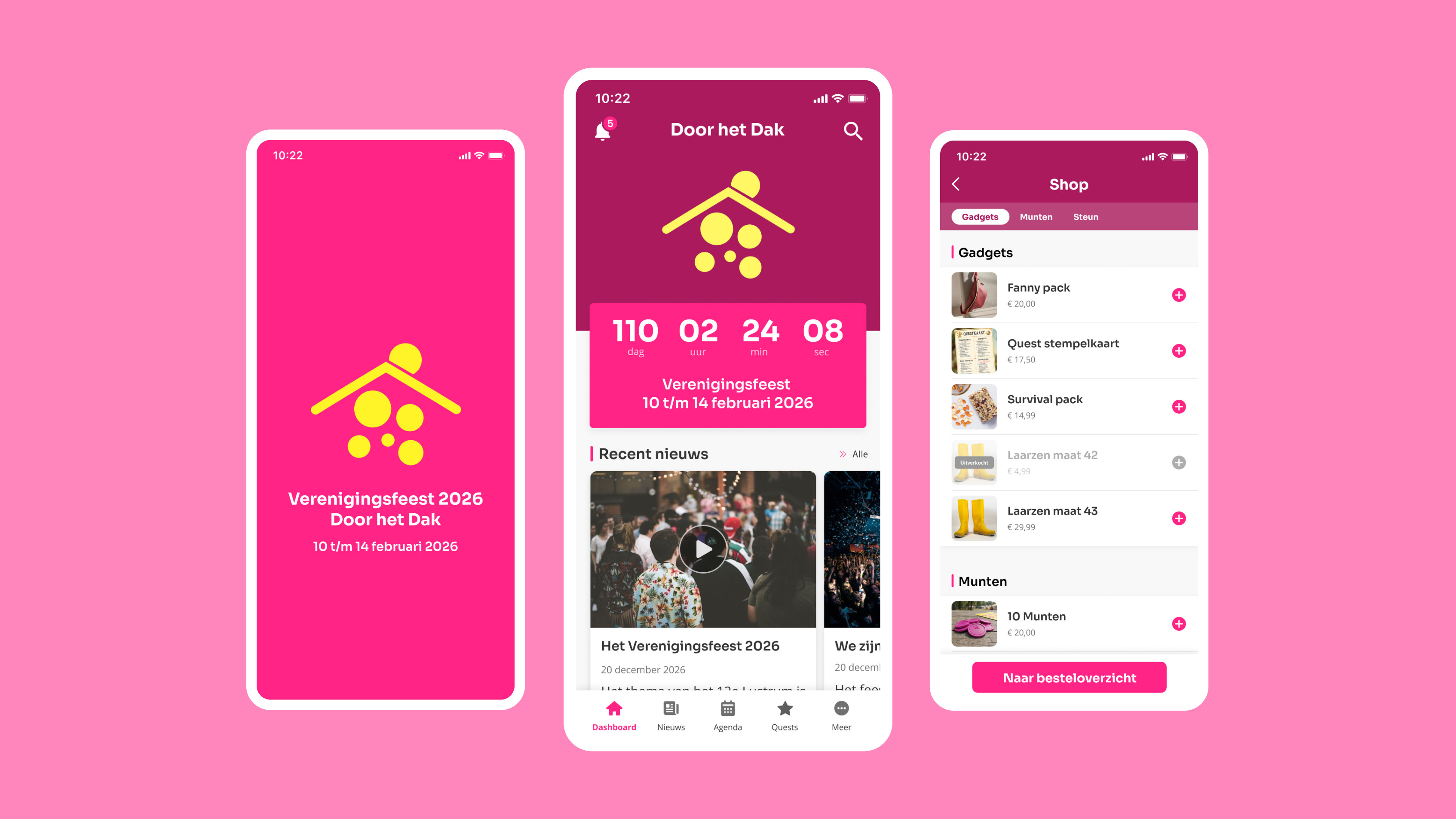
With a multi-day event, everyone looks forward to it for weeks, and during the event itself, you want to have all the information to hand. The image below shows an example of a multi-day club party: a custom splash screen, a dashboard with a countdown timer and a shop selling tokens and merchandise. You can see the full example, complete with quests and a map, in the blog post about a party or multi-day event.
The same setup works for a skiing trip, a fraternity trip, an anniversary trip, a kickboxing gala or a symposium. On a skiing trip, the daily programme is listed in the calendar and the practical information is in the ‘More’ menu, so nobody has to search for it anymore!
A disclosure or announcement
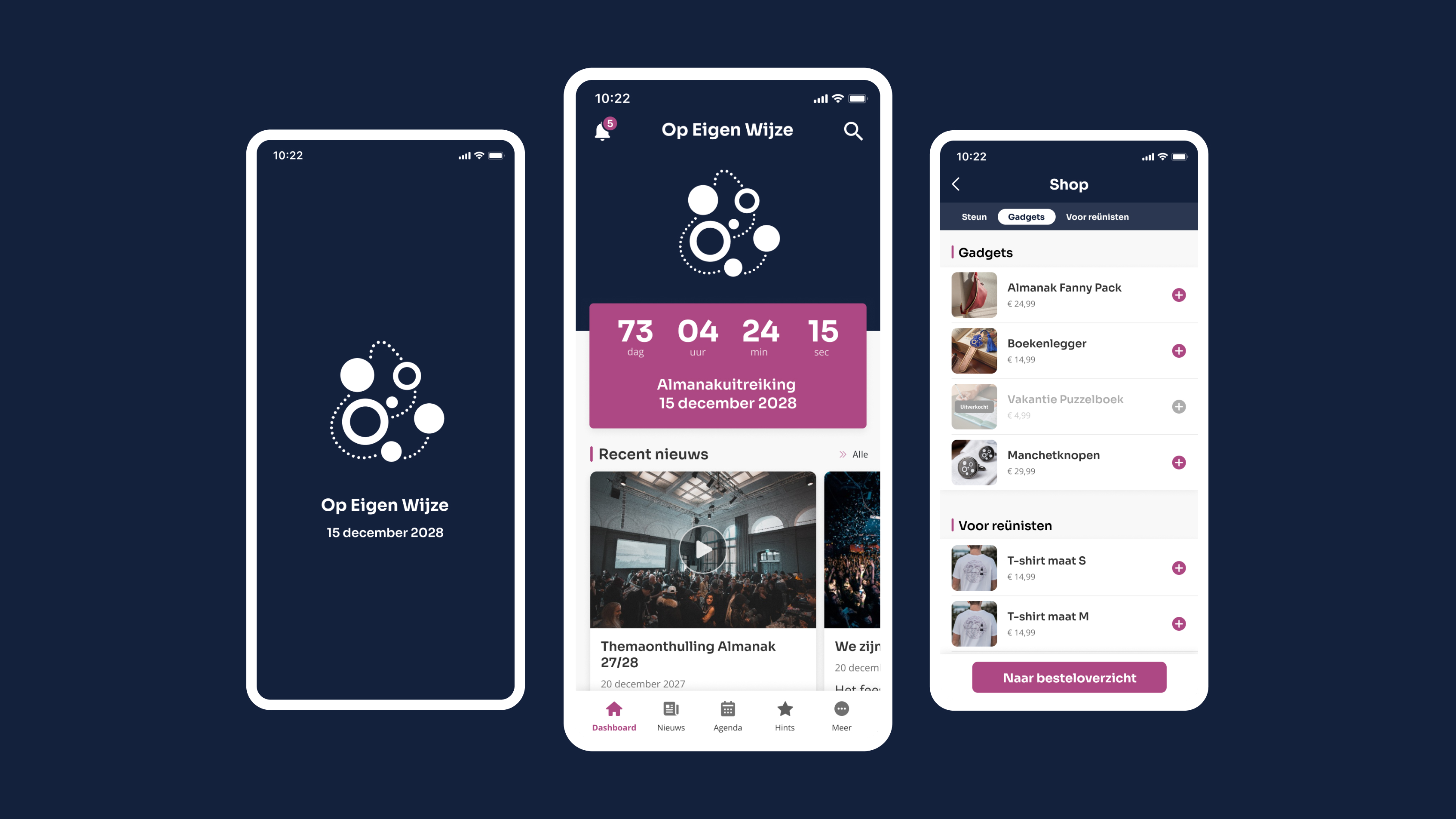
You can also use the module to build up to a specific moment, such as the unveiling of a theme or the launch of the almanac. The image below shows an example of an almanac launch: a splash screen in the style of the new almanac, a dashboard counting down to the launch, and a shop selling merchandise for members and alumni. Read the full example in the blog post about an almanac launch.
This works just as well for the launch of a yearbook or the opening of an exhibition.